Reltio Read (Crosswalk)
- Kalpana Malladi
- Aparna Tayi (Unlicensed)
- Lakshmi Manda (Deactivated)
On this Page
| Snap type: | Read | ||||||
|---|---|---|---|---|---|---|---|
| Description: | This Snap reads Reltio entities from a specified Tenant. For information on using Reltio objects other than entities (interactions, relations, and categories,) see Reltio Read (Object). ETL Transformations and Data Flow This Snap reads data from the Reltio Object and Object Type. Input & Output
Modes
| ||||||
| Prerequisites: | A valid Reltio account with the Tenant ID for the Tenant URL, or an API key for the account settings to be generated. Access in Reltio to read objects and entities from the Tenant. | ||||||
| Limitations and Known Issues: | You cannot roll back the productized Reltio Snap Pack in 4.20 to a prior version. | ||||||
| Configurations: | Account and Access This Snap uses account references created on the Accounts page of SnapLogic Manager to handle access to this endpoint. See Reltio Account for more information. Views
| ||||||
| Troubleshooting: | None at this time. | ||||||
Settings | |||||||
Label | Required. The name of the Snap. You can modify this to be more specific, especially if you have more than one of the same Snap in your pipeline. | ||||||
| Tenant URL | Required. Specifies the Reltio host with Tenant ID. The format used is https://<reltio_host>/reltio/api/<tenant_id>. The values can be passed directly or using the pipeline parameters but not through the upstream. Example: https://test.reltio.com/reltiotest/api/XKiqdracb178fmuXYr3U7ZrG6/ Default value: [None] | ||||||
| Object | Required. The Reltio Object to be created. You can either enter a valid object name or select an object from the suggestions displayed. Reltio typically has four objects:
The suggestion works only when the valid account or the Tenant URL is provided. The values can be passed directly or using the pipeline parameters. Default value: [None] | ||||||
| Batch size | Specifies the number of records that you want the Snap to process in a single API call. Default value: 1 Minimum value: 1 Maximum value: 2,147,483,647 This value can be provided dynamically as a pipeline parameter or directly in the Snap, but not as an upstream parameter. | ||||||
| Thread limit | Required. Specifies the maximum threads of this Snap to delete the Reltio Objects. Minimum value: 1 Maximum value: 50 Default value: 20 This value can be provided dynamically as a pipeline parameter or directly in the Snap, but not as an upstream parameter. | ||||||
| Query parameters | Specify query parameters and their values. Use the http query parameter syntax to attach query parameters to the URL, separating each parameter using an '&'. | ||||||
| Query parameter | Specify the key to be used in the HTTP request for Reltio. Default value: [None] | ||||||
| Query parameter value | It is the key value for the particular Query parameter used. Default value: [None] | ||||||
| Group | This value indicates whether or not to nest the values of same attributes. If not selected, then an attribute having multiple values will be shown in two different tags else it will be grouped in a single tag. Default value: Not selected | ||||||
| Retry limit | Specify the maximum number of attempts to get the response. Minimum value: 1 Default Value: 5 You can provide this value dynamically as a Pipeline parameter or directly in the Snap, but not as an upstream value. | ||||||
Snap Execution | Select one of the following three modes in which the Snap executes:
Default Value: Execute only | ||||||
Examples
Basic Use Case
The following pipeline describes how the Snap functions as a standalone Snap in a pipeline:
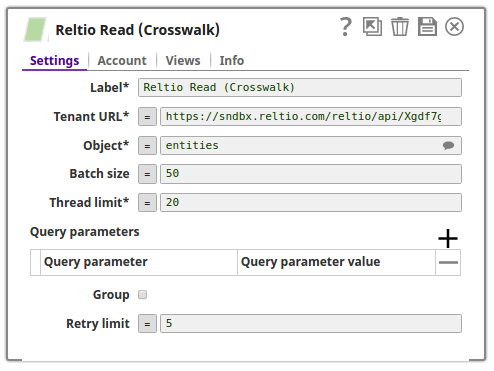
In the screenshot below, the Reltio Read (Crosswalk) Snap uses input view to provide the Object type or the values that are also suggested in the input schema of the upstream Snap. The Query parameters are left empty to retrieve all the records from the sources specified in the Tenant URL and Object fields.
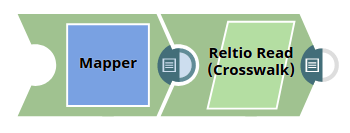
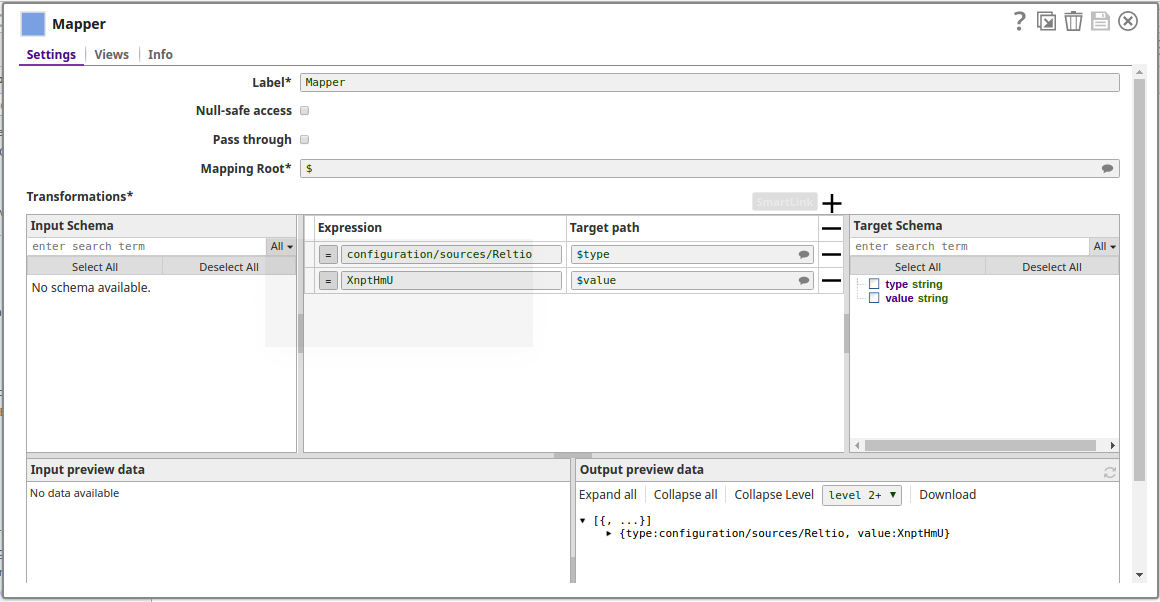
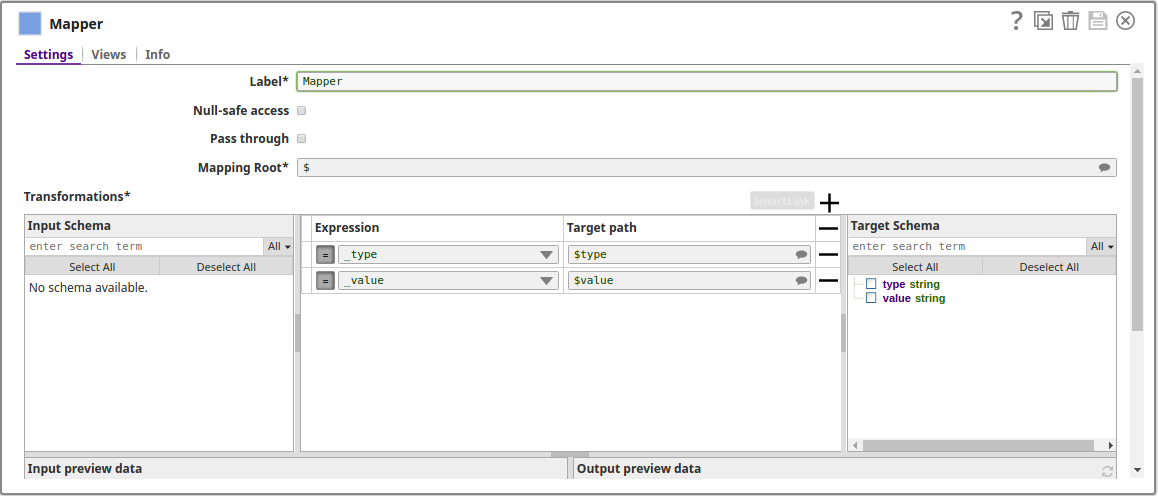
The Mapper Snap provides the values for the type and value on the Object.
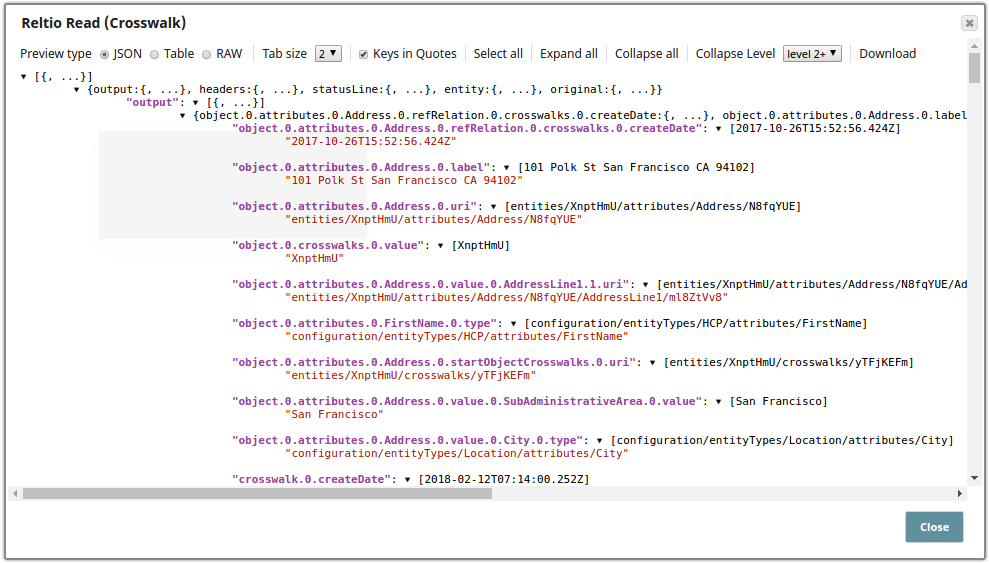
The successful execution of the pipeline displays the below output preview:
Typical Snap Configurations
The key Snap configurations for the Snap are:
Without Expressions
Since the Snap requires the input documents from the upstream, the values are directly provided within the Snap:
The upstream Snap provides the values to be read from the specified entity. The expression values are provided dynamically using the pipeline parameters:
The values as set on the pipeline parameters:
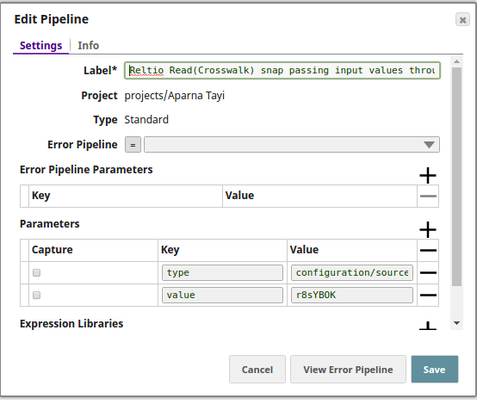
Advanced Use Case
The following describes a pipeline, with a broader business logic involving multiple ETL transformations. The Reltio Create, Read (Crosswalk) and Update Snaps create, read and update the messages respectively as received form the SQS messaging instance. The pipeline download is available in the Downloads section.

The ETL transformations:
- Extract: The SQS Consumer Snap consumes the messages from the SQS Messaging instance.
- Transform: The JSON Parser Snap transforms the records into the JSON format and the Mapper Snap maps the object for the messages to be created on the Reltio console.
- Load: The Reltio Create Snap creates the entity for the messages.
The other ETLs involved are:
- Extract: The Reltio Read (Crosswalk) Snap reads the messages from the instance.
- Transform: The JSON Splitter Snap splits the records to be mapped using a Mapper Snap for the records to be updated on the Reltio instance.
- Load: The Reltio Update Snap updates the required records on to the Reltio object.
Downloads
Important steps to successfully reuse Pipelines
- Download and import the pipeline into the SnapLogic application.
- Configure Snap accounts as applicable.
- Provide pipeline parameters as applicable.
Snap Pack History
Have feedback? Email documentation@snaplogic.com | Ask a question in the SnapLogic Community
© 2017-2025 SnapLogic, Inc.